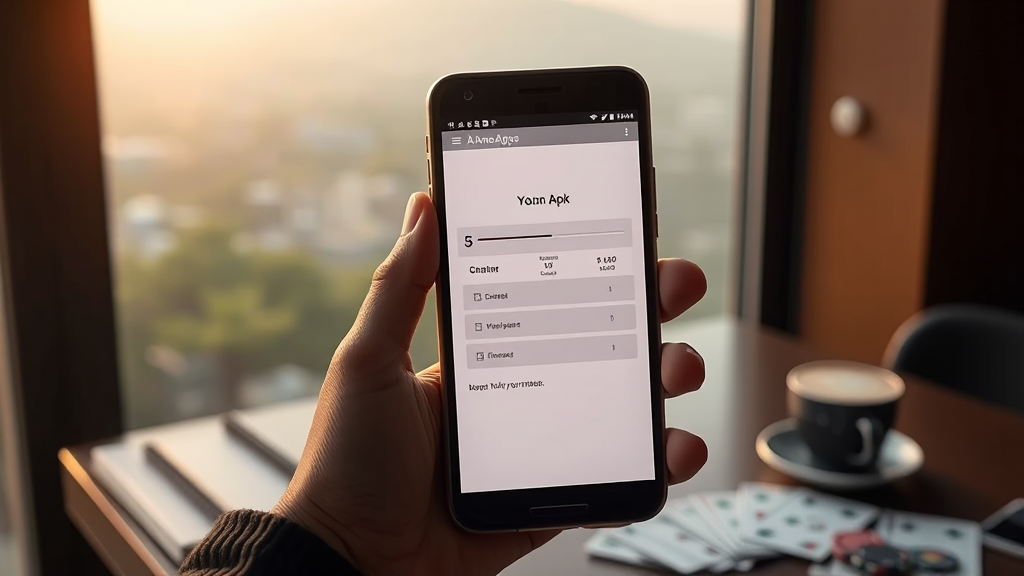









How to Set Up Rummy Ola on Your Phone and What Differs on Other Apps
If you have been playing rummy on your phone for a while, you already know that the experience is not the same everywhere. Something changed recently that makes this worth talking about again: a lot of players I know have started paying closer attention to how an app handles the first few minutes after install. That is where Rummy Ola keeps coming up in conversations, because the setup flow feels different from what many people expect, and once you notice those differences, you start comparing everything else too.
I am writing this as someone who has spent more evenings than I should admit installing, deleting and reinstalling rummy apps on a mid-range Android phone. My friends keep asking me the same question: how do I get started on one app without messing up the basics, and why does the same routine feel awkward on another? So this is that answer, written the way I would explain it to a friend over chai, with the rough edges left in.
A quick note before we go further. This is about the app experience, the setup, the interface and the small practical differences between operators. It is not about chasing wins or treating any of this as a shortcut. Think of it as getting your phone and your habits ready so that whatever you do later feels organised rather than chaotic.
What Changed Recently and Why It Matters
The biggest shift I have noticed is that rummy apps have become much more serious about the onboarding stage. A couple of years ago, you could install an app, tap through two screens and be inside a lobby within a minute. That is no longer true for most operators, and it is definitely not true for the newer ones trying to stand out.
Now you get permission requests, phone number verification, sometimes a profile step, and then a welcome offer screen that you are supposed to read before you tap anything. Rummy Ola is a good example of this trend. The app wants you to slow down, and honestly, that is not a bad thing. The problem is that players carry habits from one app to another, and those habits do not always transfer cleanly.
The other change is on the comparison side. Players are no longer just asking which app has the biggest bonus. They want to know how withdrawals work, how long verification takes, and whether the app feels trustworthy after the first week. That is exactly the kind of thing a site like Rummy Lists was built to organise, and it is why I started checking editorial breakdowns before installing anything new instead of relying on whatever a friend recommended last month.
So the practical takeaway is simple. The setup stage now carries more weight than it used to, and if you rush it on one app because you are used to another, you will end up redoing steps later.
Setting Up Rummy Ola the Way I Actually Do It
Here is my routine, and I am being specific because vague advice is useless when you are holding a phone in one hand.
First, I clear space before installing. Rummy apps are not huge, but cached data from previous installs can cause weird behaviour, especially on phones with limited storage. I remove old apps I am not using, then install fresh.
Second, I use the same phone number I plan to keep for the long term. This sounds obvious, but I have watched people verify with a secondary SIM and then struggle later when they want to update payment details. Pick one number and stay with it.
Third, I go through the permission requests one by one instead of tapping allow on everything. Notifications are useful for reminders, but storage and contact permissions deserve a second look. If something feels unnecessary for a card game, I deny it and see whether the app still works. Most of the time, it does.
Fourth, I read the welcome offer screen properly. Not skim it. Actually read it. The terms around what counts toward a requirement, and what does not, vary more than people assume. This is where a lot of confusion starts, and it is avoidable.
Fifth, I set up my profile with a name I will remember. Some apps use your profile name in multiplayer tables, and a random default name is harder to track if you ever need to contact support.
Once those five steps are done, the app usually settles into a rhythm. The first session after setup tends to be the buggiest, so I keep it short and just explore the menus rather than trying to do everything at once.
Comparing the Setup Experience Across Popular Rummy Apps
This is the part my friends actually want, so let me put it in plain prose rather than pretending a table is a personality. The setup on Rummy Ola is relatively structured. You get verification early, a clear welcome screen, and a lobby that does not overwhelm you with pop-ups in the first session.
Compare that with some of the older, larger apps. They often let you in faster but then hit you with offer banners and tournament prompts before you have even looked at the game formats. For a new player, that feels exciting for about ten minutes and then becomes noise. The setup is quicker, but the early experience is busier.
Then there are the apps that lean heavily on referral flows. Their setup is smooth only if you arrive through a link. If you install directly, the experience feels half-finished, and you end up hunting for the same welcome benefits that other users got automatically. That inconsistency is the kind of thing editorial reviews are good at catching, because a single player rarely installs enough apps to notice the pattern.
Payment setup is where the differences get really practical. Some apps ask you to link a payment method during onboarding. Others let you play first and handle payments only when you want to withdraw. Rummy Ola, from what I have seen, sits somewhere in the middle. It does not force payment details on you immediately, but it does prompt you to keep your profile complete, which helps later when you actually need to move money.
Withdrawal-related setup is another quiet difference. Apps that verify your details early tend to have fewer surprises at withdrawal time. Apps that delay verification often create a backlog of steps right when you are least patient. If you care about that side of things, it is worth reading withdrawal-focused comparisons before you commit to one app, because the setup choices you make on day one affect how smooth that later process feels.
Interface layout is the last big one. Rummy Ola keeps its main actions close to the thumb, which matters on larger phones. Some competitors bury the table selection behind two or three taps. Neither approach is wrong, but if you switch apps often, your muscle memory will fight you for the first few days.
Common Mistakes Players Make During Setup
I have made most of these myself, so this is not a lecture.
The first mistake is skipping verification because you want to play immediately. It feels harmless. Then a week later you want to withdraw, and you are stuck uploading documents while your balance sits there. Do the verification when you are calm, not when you are in a hurry.
The second mistake is using an email address you never check. Support replies, security notices and account updates often go there. A throwaway email is fine for a shopping app. It is a bad idea for anything involving money and identity.
The third mistake is ignoring the offer terms and then feeling cheated. Most of the time, the terms were visible during setup and simply not read. This is not about blaming players. It is about acknowledging that onboarding screens are designed to be skimmed, and you have to consciously slow down.
The fourth mistake is installing three apps in one evening and confusing the interfaces. I have done this. You end up tapping the wrong buttons, misreading balances, and generally feeling clumsy. If you are comparing apps, give each one a proper session on a separate day.
The fifth mistake is not checking how the app handles your data. A quick look at the permissions and privacy information during setup tells you more than any advertisement will.
How to Decide Which App Deserves Your Time
Once setup is done on two or three apps, the decision becomes easier because you are comparing real experiences rather than marketing pages. Here is how I think about it.
Start with how the app felt in the first ten minutes. Not how it looked, but how it felt. Did you know where to tap? Did anything confuse you? Did you have to search for basic information? Clarity during setup usually predicts clarity later.
Next, look at how transparent the app is about money. Welcome offers, withdrawal timelines and any conditions should be findable without digging through five menus. If an app makes that information hard to reach, that tells you something about how it will treat you when you have a question.
Then consider the pace of the app. Some operators push you toward fast formats immediately. Others let you explore at your own speed. Neither is objectively better, but one will suit you more than the other, and you will only know by paying attention during the first few sessions.
Finally, check whether the app respects your time. Notifications that are useful are fine. Notifications that fire every hour are a sign that the app sees you as a retention metric rather than a player. You can adjust these in settings, but the default tells you a lot about priorities.
If you want a shortcut, read a few editorial comparisons before you install anything. They will not make the decision for you, but they will stop you from wasting an evening on an app that was never going to fit.
Practical Habits That Make Any Rummy App Easier to Use
These habits are not specific to one operator. They apply everywhere, and they save a surprising amount of friction.
Keep a note on your phone with which number and email you used for which app. It sounds overly careful until the day you need to recover an account and cannot remember whether you signed up with your personal or work email.
Update the app regularly. Rummy apps push fixes quietly, and an outdated version is often the reason something feels broken. If a feature suddenly stops working, check for an update before assuming the worst.
Do not play on unstable internet. This is not just about disconnections. Payment confirmations and verification messages can fail on a weak connection, and then you are stuck waiting for something that never actually processed.
Set a routine. A fixed time, a fixed budget in terms of attention, and a fixed stopping point. This is not about discipline lectures. It is about making the experience predictable so it does not bleed into the rest of your day.
Finally, review your apps every few months. Operators change their offers, their interfaces and sometimes their policies. What was true when you installed an app may not be true six months later. A quick re-check keeps you from operating on outdated assumptions.
Frequently Asked Questions
Is the setup process on Rummy Ola different from other rummy apps?
Yes, in a few practical ways. It tends to prompt verification and profile completion earlier than some competitors, which can feel slower at first but usually means fewer interruptions later. Apps that let you in faster often make up for it with more prompts and banners once you are inside.
Do I need to complete verification before I can use the app properly?
You can usually explore the app before full verification, but anything involving money will require it. Doing it during setup, while you are calm and have your documents nearby, is far easier than doing it later when you are waiting on a withdrawal.
Why does the same routine feel awkward when I switch between rummy apps?
Because each operator places its main actions in different spots. Your thumb learns one layout and then has to relearn another. Give yourself a full session on each app rather than switching back and forth in the same evening, and the awkwardness fades quickly.
How do I know if an app is worth keeping after setup?
Look at clarity, transparency around money, and how the app treats your attention. If you can find withdrawal information easily and the notifications are reasonable, that is a good sign. If basic details are buried and the app is constantly interrupting you, that pattern rarely improves.
My Recommendation
If you are setting up Rummy Ola for the first time, take the setup seriously. Use the number you plan to keep, verify early, read the offer screen properly, and keep your first session short. That routine will save you more time than any shortcut.
If you are comparing apps, do not judge them on the lobby alone. Judge them on how the first week feels, how easy it is to find information, and how they handle the parts that are not fun, like verification and withdrawals. Those are the moments that reveal what an operator is actually like.
And if you want a starting point before you install anything, use a comparison directory rather than random recommendations. It will not decide for you, but it will help you avoid the apps that were never a good fit in the first place.