






Why the Freighter Wallet App Is a Must-Have Tool for Stellar Users
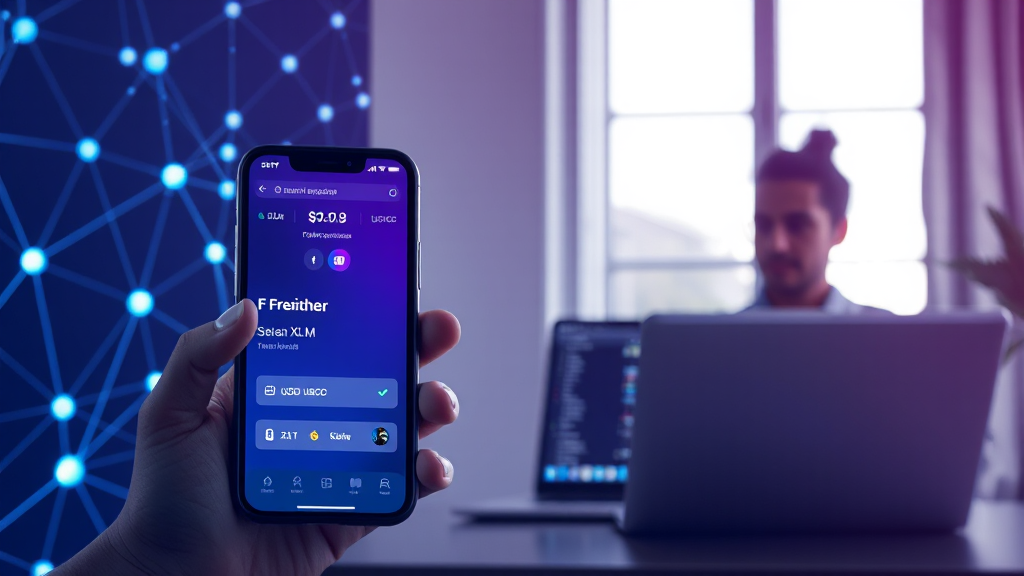
Managing digital assets securely is a top priority for anyone involved in cryptocurrency, and the Stellar network has become a favorite for fast, low-cost transactions. If you’re looking for a reliable way to store, send, and interact with Stellar-based tokens, the freighter wallet app deserves your attention. This browser and mobile wallet is designed specifically for the Stellar ecosystem, offering a seamless experience for both newcomers and seasoned users. In this article, we’ll explore what makes Freighter stand out, how it works, and why it’s become an essential tool for Stellar enthusiasts.
Unlike many generic crypto wallets, Freighter is built with a clear focus on the Stellar network. This specialization means that every feature—from the user interface to the underlying security protocols—is optimized for Stellar assets like XLM and USDC. Whether you’re a developer building on Stellar or a casual user looking to hold and transfer digital currency, Freighter provides a straightforward solution that doesn’t compromise on safety or functionality. Let’s dive into the details.
What Is Freighter and How Does It Work?
Freighter is a non-custodial wallet, which means you have full control over your private keys and funds at all times. The wallet does not store your keys on a central server; instead, they remain encrypted on your device. This design aligns with the core principles of blockchain technology—self-custody and decentralization. When you install Freighter, you’ll create a new wallet or import an existing one using a secret recovery phrase. From there, you can manage your Stellar accounts, view balances, and initiate transactions directly from the app.
One of the most compelling aspects of the freighter wallet is its integration with the broader Stellar ecosystem. Freighter acts as a bridge between you and decentralized applications (dApps) built on Stellar. Instead of manually copying and pasting wallet addresses or dealing with complicated connection processes, Freighter makes it simple to connect to supported apps with just a few clicks. This functionality is reminiscent of browser wallets like MetaMask, but tailored specifically for the Stellar network.
Key Features of the Freighter Wallet App
Freighter is packed with features that cater to both everyday users and developers. Here are some of the standout capabilities:
- Non-Custodial Security: Your private keys never leave your device, and you remain in full control of your assets.
- Multi-Platform Support: Available as a browser extension for Chrome, Firefox, and Edge, as well as a mobile app for iOS and Android.
- Stellar App Browser: Freighter includes a built-in browser that allows you to discover and connect to Stellar-based dApps effortlessly.
- Asset Management: Send and receive any Stellar asset, including XLM, USDC, and custom tokens issued on the network.
- Hardware Wallet Integration: For added security, you can connect Freighter to Ledger hardware wallets.
- Transaction History: Keep track of all your incoming and outgoing transactions with a detailed, searchable history.
These features make Freighter more than just a simple wallet; it’s a comprehensive tool for engaging with the Stellar ecosystem. Whether you’re participating in token sales, using DeFi protocols, or simply transferring value, Freighter provides the necessary infrastructure.
How to Get Started with Freighter
Getting started with Freighter is a straightforward process. Here’s a step-by-step guide:
- Download and Install: Visit the official Freighter website or your browser’s extension store to download the app. For mobile users, download from the Apple App Store or Google Play Store.
- Create a New Wallet: Open the app and select “Create New Wallet.” You’ll be prompted to set a password and will receive a 12-word recovery phrase. Write this phrase down and store it in a safe, offline location—anyone with access to it can control your funds.
- Backup Your Phrase: Confirm that you’ve saved the recovery phrase by entering it in the correct order. This step is crucial for account recovery in case you lose access to your device.
- Fund Your Wallet: To start sending transactions, you’ll need to deposit some XLM (the native Stellar asset) to cover transaction fees. You can receive XLM or other assets by sharing your public address.
- Explore the Ecosystem: Use the built-in browser to discover Stellar apps, or simply start sending and receiving assets directly from your dashboard.
The entire setup process typically takes less than five minutes, and the intuitive interface ensures that even beginners can navigate it without confusion.
Why Stellar Users Prefer Freighter
Stellar is known for its speed and low transaction costs, but the user experience largely depends on the wallet you choose. Freighter has gained popularity because it’s designed with the Stellar user in mind. Unlike multi-chain wallets that treat Stellar as an afterthought, Freighter offers a deep integration that makes every action feel native. For example, when you want to swap assets or interact with a Stellar-based DEX, Freighter handles the transaction seamlessly, showing you clear confirmation screens and real-time updates.
Moreover, Freighter’s commitment to security is evident in its open-source code. The wallet is audited by reputable security firms, and its code is publicly available for review. This transparency builds trust among users who want to verify that their funds are safe. In a space where hacks and vulnerabilities are common, Freighter’s proactive approach to security is a significant advantage.
Another reason Stellar users prefer Freighter is its active development community. The team behind Freighter regularly releases updates, adds new features, and listens to user feedback. This ensures that the wallet evolves with the needs of the ecosystem. Whether it’s support for new Stellar protocols or improvements to the user interface, Freighter stays ahead of the curve.
Security Best Practices When Using Freighter
While Freighter is designed to be secure, you also need to follow best practices to protect your assets. Here are some essential tips:
- Keep Your Recovery Phrase Offline: Never store your recovery phrase digitally, especially on cloud services or note-taking apps. Write it down on paper and keep it in a safe place.
- Use a Hardware Wallet for Large Amounts: If you hold a significant amount of crypto, consider connecting a Ledger device to Freighter for an extra layer of security.
- Beware of Phishing Sites: Always double-check the URL of any website that asks for your wallet credentials. Bookmark the official Freighter site and use that link to access the app.
- Keep Your Device Updated: Regularly update your browser, operating system, and Freighter app to ensure you have the latest security patches.
- Verify Transaction Details: Before confirming any transaction, double-check the recipient address and the amount. Malicious software can sometimes alter addresses if you’re not careful.
By following these practices, you can enjoy the convenience of Freighter while minimizing the risk of loss or theft.
Frequently Asked Questions
Is Freighter a custodial wallet?
No, Freighter is a non-custodial wallet. You have full control over your private keys, and Freighter never has access to your funds. This means you are responsible for safeguarding your recovery phrase and keeping your device secure.
Can I use Freighter on my mobile phone?
Yes, Freighter is available as a mobile app for both iOS and Android. The mobile version offers the same core features as the browser extension, allowing you to manage your Stellar assets on the go.
Does Freighter support all Stellar assets?
Freighter supports any asset issued on the Stellar network, including XLM, USDC, and custom tokens. You can add custom assets by their issuer and asset code, giving you flexibility in managing your portfolio.
How do I connect Freighter to a Stellar app?
Connecting to a Stellar app is simple. Open the app you want to use and look for a “Connect Wallet” button. Choose Freighter from the list of supported wallets, and a pop-up will appear asking for your permission. Once you approve, the app will be able to interact with your wallet.
What should I do if I lose my recovery phrase?
If you lose your recovery phrase, there is no way to recover your wallet. That’s why it’s critical to store it in multiple secure locations. If you still have access to your device, you can export your private keys, but this is generally not recommended as it can compromise security.
Conclusion
The freighter wallet app is an indispensable tool for anyone actively using the Stellar network. Its non-custodial design, robust security features, and deep ecosystem integration make it a top choice among Stellar users. Whether you’re a developer building decentralized applications or a user looking to manage your digital assets with ease, Freighter offers a reliable and user-friendly platform. By following the security best practices outlined above, you can use Freighter with confidence and make the most of what the Stellar network has to offer.
If you haven’t yet tried Freighter, now is the perfect time to download it and experience the seamless management of Stellar assets. With its growing list of features and a dedicated team behind it, Freighter is poised to remain a cornerstone of the Stellar ecosystem for years to come.
Readers who are interested in this topic will benefit from exploring multiple perspectives and understanding the nuanced approaches that industry leaders recommend. Taking time to research thoroughly ensures better outcomes and more informed decision-making.
Those looking to gain deeper knowledge in this area should consider following expert analysis, staying updated with the latest developments, and engaging with professional communities where these topics are discussed in detail.
A comprehensive understanding of this subject requires looking at both theoretical foundations and practical applications. By combining study with hands-on experience, learners can develop a well-rounded perspective that serves them well in real-world scenarios.
As the landscape continues to shift and evolve, staying informed about emerging trends and best practices becomes increasingly valuable. This ensures you remain competitive and capable of adapting to new challenges as they arise.